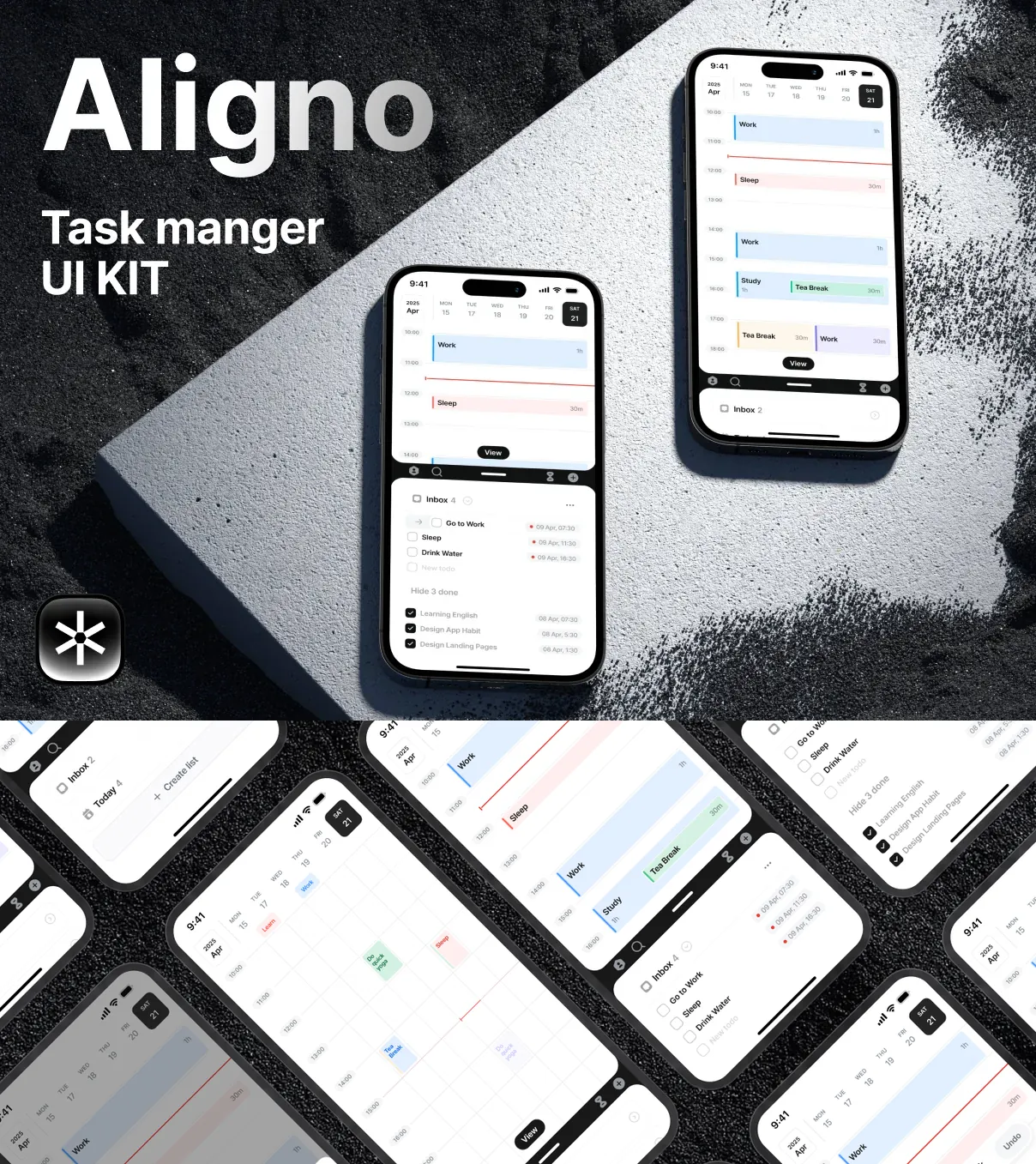
The Aligno Task Management UI Kit is a sophisticated and modern design toolkit tailored exclusively for task management and project tracking using Framer. Whether you are a freelancer managing multiple gigs, a small business owner overseeing daily operations, or a project manager coordinating teams, Aligno delivers an optimized interface to enhance productivity and task organization. Its sleek appearance combined with practical features ensures your projects stay on track and efficiently managed.
Powerful Features Designed for Real Productivity
Fully Responsive 100% Auto Layout Design
Aligno leverages 100% auto layout to provide an incredibly adaptive user interface. The auto layout system allows seamless resizing and effortless customization—whether you want to edit, delete, or add new components. Even if you’re unfamiliar with auto layout, it is simple to disable with a right-click to make adjustments manually. This responsive feature guarantees your design adapts fluidly to various screen sizes or device orientations.
Extensive Collection of Pixel-Perfect Screens
With over 120 meticulously crafted iOS app screens, Aligno offers a comprehensive library of ready-to-use components and layouts that suit any task or project tracking need. Each screen is designed with precision to maintain visual consistency and facilitate smooth navigation, enhancing user experience across the app.
Customizable Light and Dark Themes
Aligno supports both light and dark versions, enabling users to select the theme that best fits their preference or work environment. This versatility not only improves usability in diverse lighting conditions but also elevates the aesthetic appeal of your app, making it more inviting and comfortable for extended use.
Why Choose Aligno for Your Task Management Projects?
Completely Editable and User-Friendly
Every element within the Aligno UI Kit is 100% editable and customizable, empowering developers and designers to tailor interfaces to their specific requirements without limitation. The global style guide consolidates colors, fonts, and components into a unified system, ensuring brand consistency and faster UI modifications throughout your projects.
Boost Efficiency with Intuitive Design
Aligno’s interface is crafted actively to enhance clarity and reduce complexity in task management. Features such as smart component integration and well-organized layers make editing straightforward and efficient. This focus on usability accelerates workflow and minimizes errors, helping teams maintain focus on project deliverables rather than technical hurdles.
Adaptable for Freelancers, SMBs, and Project Managers
Aligno’s versatility makes it suitable for a broad audience—from solo freelancers juggling multiple deadlines to small businesses balancing growth and operations, to project managers orchestrating team collaboration. Its scalable design and flexible features can accommodate varying project scopes and complexities effortlessly.
Main Features Overview
- 120+ pixel-perfect iOS app screens for diverse task management needs
- 100% auto layout for full responsiveness and easy customization
- Global style guide for consistent branding and faster updates
- Dual-mode design supporting both light and dark interfaces
- Complete editability of all UI components for personalized workflow
- Simplified layer organization for quick navigation and changes
Get Started with Aligno Today
Aligno is your ultimate UI design solution to maximize productivity and enhance project tracking experiences. Its modern aesthetic, combined with robust features and adaptability, equips you with everything needed to build efficient, scalable task management apps. Whether you are starting a new product or upgrading an existing tool, Aligno positions your project for success with a user-centric approach and powerful design capabilities.